Manage guards, sites and client reporting in one platform.
Bravo Guard System helps private security companies schedule guards, verify patrols, record incidents, prepare payroll and give each client a live view of their own sites.
A single system of record for your operation
Three connected parts share one set of records: your company console, the client portal and the guard mobile app. Information is entered once and used consistently across scheduling, field verification, payroll and client reporting.
- 01 · Company console
Your office: sites, guards, schedules, payroll and reporting.
Week of January 12+ Add shiftMonTueWedRHRobert HayesAssigned officerGuard licence validFirst aid / CPRSite induction doneTimecardTue, Jan 13ScheduledActual16:00 – 00:0015:58 – 00:03Total 8.1 hrs✓ Approve$Payroll ready24 guards · hours approved - 02 · Client portal
Your customers see their own sites, and nothing else.
Daily activity reportAtlantic Harbor · all shifts todayIncident reportHighGate forced after hours · 02:14ResolvedDownload PDFPatrols this month10/12+ 6%Guards on site2 on post · all clear - 03 · Guard app
Clock in on site, scan checkpoints, report incidents and raise an SOS.
- 04 · Secure records
Each company's data is kept separate, and access is set by role.
Who can see whatAAdministratorOnEverything in the companyCClientOnOnly their own sitesGGuardOnOwn shifts and tasksRecords kept separateCompany ACompany B
Every part of the operation, in one workspace.
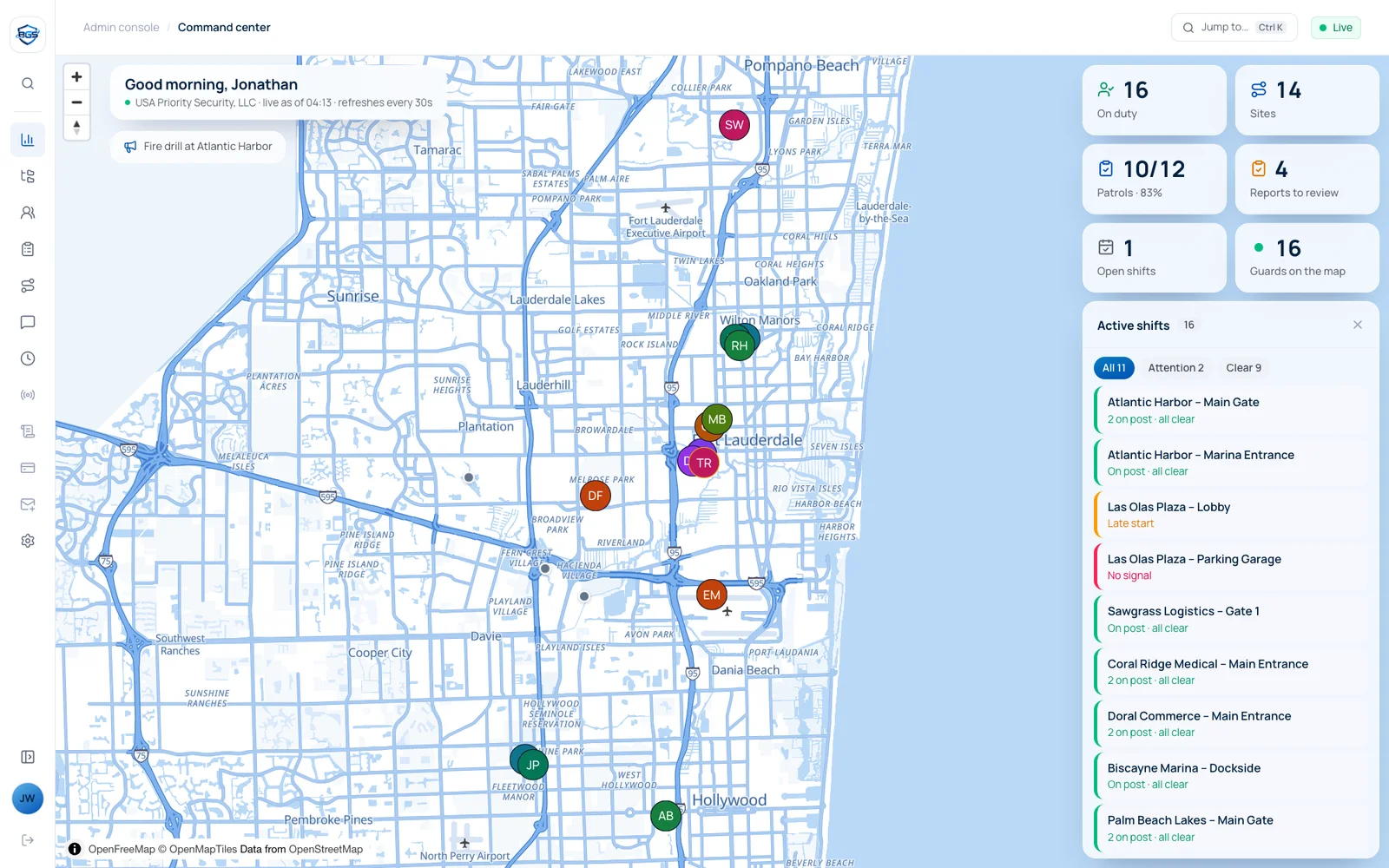
Choose a screen, then click a numbered point to see what that part does. On the Schedule you can switch between guards and sites.
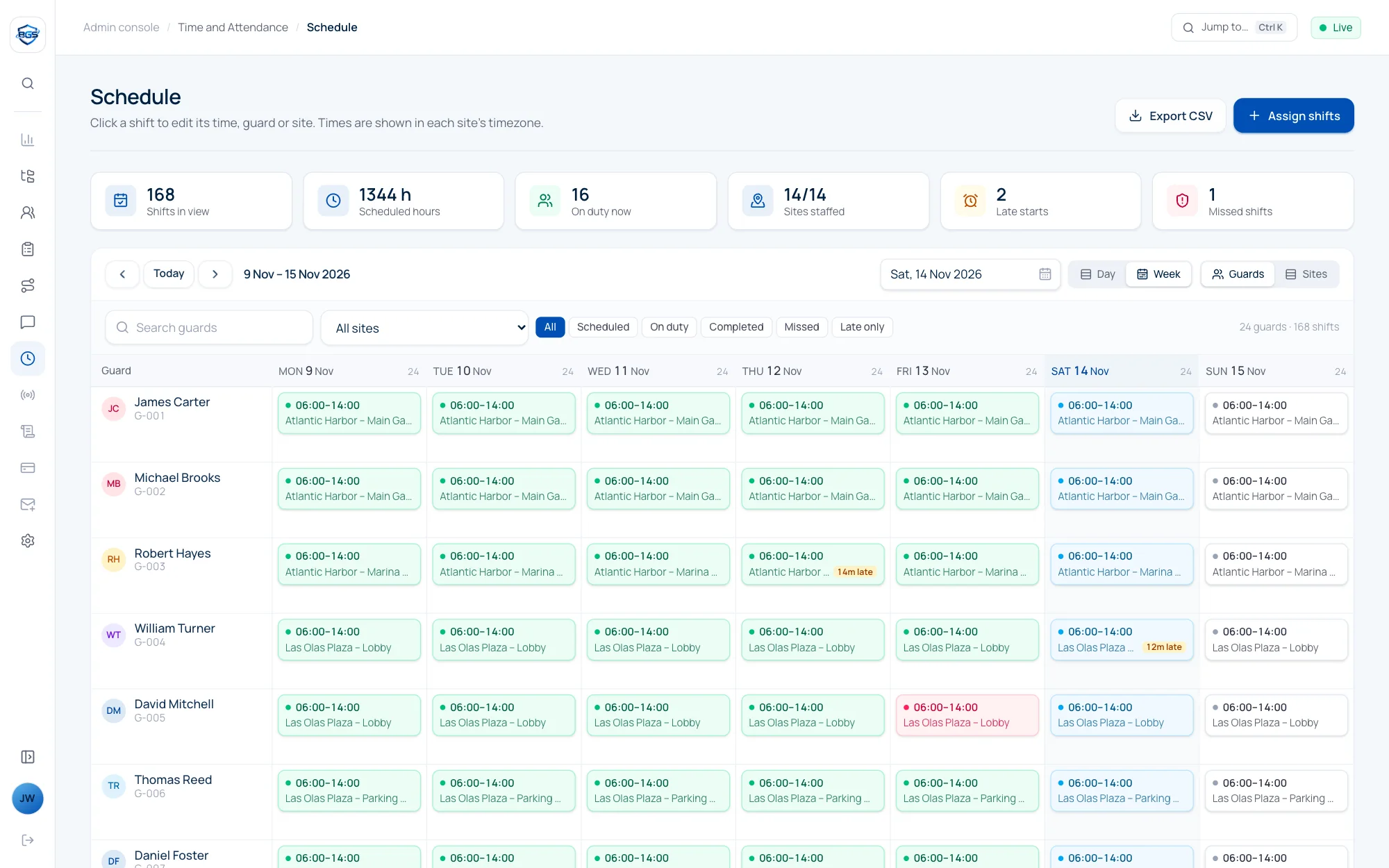
Scheduling. Build and adjust rosters with conflict and leave checks, so every post is covered.
Verified activity, not paper records.
Every clock-in, checkpoint scan and report in Bravo Guard System is recorded with a time, a location and the person responsible. When a client questions service delivery, you can respond with a documented record.
- 05:58James Carter clocked inInside geofence · GPS verified
- 06:12Checkpoint scanned: Gate BNFC tag 2 of 6 · Night round
- 06:41Incident reported: window damageSeverity medium · 3 photos attached
- 06:43Report emailed to the clientAtlantic Harbor Residences
- 13:59Shift completed8 h 01 min · ready for payroll review
Designed for every role in the operation
Each team works from the same verified records, without re-entering or reconciling information by hand.
Operations managers
Monitor coverage, late starts and missed patrols as they occur, and act before the client is affected.
Finance and payroll
Reconcile worked hours against clock-in records, review exceptions and export a payroll file for each period.
Client account managers
Provide each client with a portal showing guard status, patrol activity and reports, reducing routine status requests.
Arrange a guided walkthrough for your operation.
Review how Bravo Guard System fits your operating model, client portfolio and staffing requirements.